
TUI / Interactive Mode
Added in version 1.0.0.dev21.
Dementor ships with an interactive TUI that provides a rich, colour-enhanced command line for interacting with services. It gives quick access to the most common operations - checking the environment, querying the database, starting and stopping protocol services and tweaking the runtime configuration - without leaving the terminal.
Let’s take a look!
Prompt Components
The REPL prompt consists of several segments:
dm(vX.Y.Z)- current version.@<interface>- network interface selected for the sessionusing [<dialect>/<cred-count>]- database backend and number of stored credentials.[Debug]- appears only when the session is started with--debug.
dm(v0.5.0)@eth0 using [sqlite/12] [Debug] #
    ^       ^              ^
    |       |              |
    |       |              |
    |       |              +-------------------- DB backend / credential count
    |       +----------------------------------- Network interface
    +------------------------------------------- current version
The following sections document each built-in command. All commands are available directly
after starting the REPL (--repl or -F). Use help for a short overview and
help <command> for detailed usage.
Help and Exit
help            - Show a list of supported commands.
help <cmd>      - Show the full docstring and usage for *cmd*.
exit, quit, bye - Terminate the REPL session.
Database Commands (db)
The db command provides a small sub-command hierarchy for interacting
with the database that stores captured credentials and discovered hosts.
db creds [--raw] [--credtype TYPE] [INDEX]
    List captured credentials. ``--raw`` prints a plain-text view,
    ``--credtype`` filters by credential type, and an optional
    ``INDEX`` shows a single entry.

db hosts [--raw] [INDEX]
    List discovered hosts. ``--raw`` prints a simple text view;
    ``INDEX`` limits output to a single host.

db clean [--yes]
    Remove **all** entries from the database.  ``--yes`` skips
    the confirmation prompt.

db export [OUTFILE] [--credtype TYPE]
    Export credentials in a hashcat-compatible format.  If *OUTFILE*
    is omitted the lines are printed to the console.
Protocol Service Commands (proto)
The proto command controls the lifecycle of protocol modules
(e.g. smtp, http).
Its syntax is proto <service> <sub-command> [options].
proto <name> on
    Start the specified service.

proto <name> off [-y|--yes]
    Stop the service; ``-y`` skips the confirmation prompt.

proto <name> status
    Show a detailed tree view of the service's threads, IP/port and
    whether they are running.

proto <name> config [KEY[+][=VALUE]]
    Inspect or modify runtime configuration of the service's threads.
    Without *KEY* a list of configurable fields is shown.  ``+=`` appends
    to a list, ``=VALUE`` sets the field.

proto <name> reload
    Reload the protocol module (stop, reload the Python module, recreate
    threads, start).
Runtime Configuration (config)
config offers a generic interface to the global configuration parsed from the Toml
configuration file.
config                - List top-level configuration sections.
config KEY            - Show the current value of *KEY*.
config KEY=VALUE      - Set *KEY* to *VALUE* (type-aware conversion).
config KEY+=VALUE     - Append *VALUE* to a list configuration entry.
Warning
Changing configuration values with the proto config command only updates the
global configuration object. Running server threads do not automatically pick
up these changes. After modifying a setting you must either reload the protocol
(proto reload <name>) or stop and start the service again for the new
configuration to take effect.
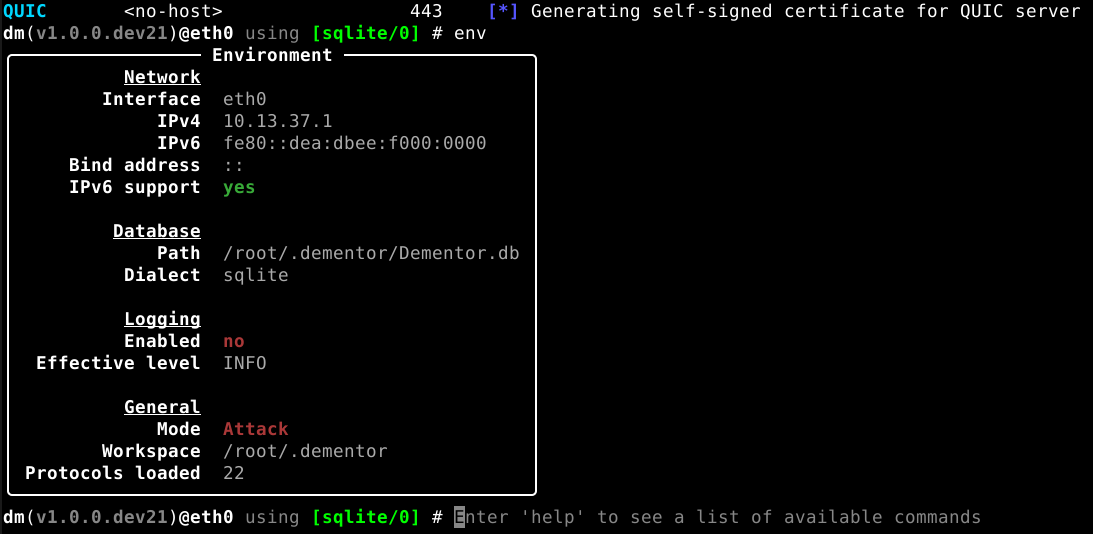
Environment Overview (env)
env prints a compact overview of the current session environment - network settings,
database backend, logging configuration and general session information.
IP Configuration (ip / ipconfig)
ip (alias ipconfig) displays the selected network interface, IPv4/IPv6 addresses,
bind address and whether IPv6 support is enabled.